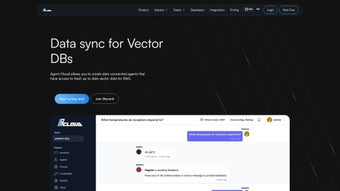

Download Agent Cloud – Secure AI Chat Application Builder
Why a Private AI Chat Builder Matters Today
Enterprises are increasingly turning to generative AI to improve customer support, internal knowledge bases, and sales enablement. Yet the promise of AI often collides with strict data‑privacy regulations, intellectual‑property concerns, and the need to keep conversational data inside the corporate firewall. That tension creates a clear market gap: a tool that lets organizations download a fully functional, secure AI chat platform, keep the underlying Large Language Model (LLM) on‑premises or in a private cloud, and connect the assistant to every data source the business already owns.
Agent Cloud was built precisely to fill that gap. It is an open‑source, Docker‑first solution that combines the flexibility of modern LLMs with enterprise‑grade security, a rich catalog of over 300 built‑in connectors, and a micro‑service architecture that scales from a single developer laptop to a multi‑region Kubernetes deployment. Because the core code is released under the permissive MIT license, teams can download, customize, and extend the platform without worrying about licensing fees, while optional commercial support gives peace of mind for production‑critical workloads.
In the sections that follow we’ll explore the platform’s key capabilities, walk through a step‑by‑step installation, and evaluate the pros and cons that matter most to decision‑makers looking for a private, secure AI chat solution.
Overview of Agent Cloud and Its Core Features
Agent Cloud is an open‑source framework designed for enterprises that need to build private, secure AI‑driven chat applications. The platform abstracts the complexities of LLM integration, data ingestion, and real‑time message routing, allowing developers to focus on conversational UX rather than infrastructure. By supporting both open‑source models (such as Llama 2) and cloud‑hosted APIs (OpenAI, Anthropic, etc.), the solution lets organizations choose the most appropriate model for their security and cost requirements. All data stays within the organization’s network, and every request can be audited through built‑in logging and Grafana dashboards. The modular design means you can start with a single LLM and a handful of data sources, then expand to a multi‑tenant environment with separate models per department, all without rewriting core services.
Key Feature List
- Support for both open‑source and cloud‑hosted LLMs (e.g., OpenAI, Anthropic, Llama 2).
- Built‑in connectors for 300+ data sources including databases, SaaS apps, and file storage.
- Customizable ELT pipelines with Airbyte for automated data synchronization.
- Scalable message bus using RabbitMQ for real‑time chat routing.
- High‑performance vector search via Qdrant for semantic retrieval.
- Modular micro‑service architecture that grows with your organization.
- Role‑based access control and end‑to‑end encryption for enterprise‑grade security.
- Docker‑first deployment model for consistent environments across Windows, macOS, and Linux.
- Comprehensive logging and monitoring integrated with Grafana and Prometheus.
- Extensible SDKs and REST APIs for custom UI/UX integration.
The platform also ships with a pre‑configured ELT pipeline powered by Airbyte, a message bus based on RabbitMQ, and a vector database backed by Qdrant. Together these components form a reliable data‑flow backbone that can ingest, transform, and index information from disparate sources in near‑real time. For regulated industries such as finance, healthcare, and government, the ability to keep models and data on‑premises while still benefitting from the latest generative‑AI breakthroughs is a decisive advantage.
Installation, Configuration, and Compatibility Details
Agent Cloud’s installer is built around Docker‑Compose, which means you only need Docker Engine (v20.10+) and Docker Compose (v2.5+) on your host. The platform is OS‑agnostic and has been tested on Windows 10/11, macOS 12+, and major Linux distributions (Ubuntu 20.04+, Debian 11+, Fedora 34+). Follow these steps to get the system up and running:
- Prerequisites: Install Docker Engine and Docker Compose. Verify the installation with
docker --versionanddocker compose version. - Clone the repository:
git clone https://github.com/agentcloud/agentcloud.git && cd agentcloud. - Start the stack: Run
docker compose up -d. Docker will pull the latest images for RabbitMQ, Qdrant, Airbyte, and the Agent Cloud API gateway, then create the required networks and volumes. - Verify health: Use
docker psto ensure all containers are “healthy”. Access the UI athttp://localhost:8080and log in with the default admin credentials (admin / password). - Connect an LLM: The first‑time wizard prompts you for an API key (cloud model) or a local endpoint URL (e.g.,
http://localhost:8000/v1). You can switch models later from the “Model Settings” page. - Add data sources: Navigate to the “Data Connectors” tab, select from the catalog (MySQL, PostgreSQL, MongoDB, Salesforce, Google Drive, etc.), and configure sync schedules. Airbyte will handle incremental loads and keep the Qdrant vector index up to date.
- Deploy to production: For larger workloads, use the provided Helm chart to install Agent Cloud on a Kubernetes cluster. Define replica counts, resource limits, and persistent volume claims for stateful services.
Supported operating systems: Windows 10/11, macOS 12+, Ubuntu 20.04+, Debian 11+, Fedora 34+, and any Linux distro capable of running Docker.
After the initial setup, you can extend the platform by writing custom connectors or UI components using the provided SDKs. The REST API follows OpenAPI specifications, making integration with existing front‑ends straightforward. Regular updates are released on GitHub; you can pull the latest changes and rerun docker compose pull && docker compose up -d to keep the stack current without downtime.
Conclusion, Pros & Cons, and Frequently Asked Questions
Agent Cloud offers a compelling blend of privacy, extensibility, and enterprise‑grade reliability for organizations that need to keep AI conversations inside their trusted environment. By providing a ready‑made ELT pipeline, a scalable message bus, and a powerful vector search engine, the platform removes much of the operational overhead traditionally associated with building AI chat assistants. The open‑source license ensures low entry costs, while optional commercial support gives enterprises the confidence to run the solution at scale. Below is a concise summary of the platform’s strengths and areas where it could improve.
What users love
- Full control over data privacy – models can run completely on‑premises.
- Rich ecosystem of data connectors eliminates custom ETL work.
- Modular micro‑services make scaling painless.
- Open‑source license encourages community contributions and transparency.
- Comprehensive monitoring tools help maintain reliability.
Areas for improvement
- Initial learning curve for teams unfamiliar with Docker or Kubernetes.
- Documentation, while thorough, could benefit from more video tutorials.
- Performance tuning of the vector index may require fine‑grained hardware sizing.
- Limited native mobile SDKs – developers need to build custom wrappers.
- Enterprise support is community‑driven unless you purchase a commercial plan.
Frequently Asked Questions
Is Agent Cloud truly free to use?
Yes, the core platform is released under the MIT license and can be downloaded, modified, and deployed at no cost. Commercial support or hosted services are offered separately.
Can I connect a proprietary LLM that isn’t listed?
Absolutely. Agent Cloud communicates with any model that follows the OpenAI‑compatible REST API schema. You just need to provide the endpoint URL and authentication token.
How does Agent Cloud ensure data security?
All data in transit is encrypted with TLS 1.3, and the vector database can be configured to use at‑rest encryption. Role‑based access control restricts who can query or modify the model, and you can keep every component behind your own firewall.
Do I need a separate license for the underlying LLM?
If you use an open‑source model (e.g., Llama 2) you only need to comply with its original license. For commercial APIs like OpenAI, you must maintain your own subscription; Agent Cloud does not bundle any third‑party usage fees.
Can I monitor usage metrics?
Yes. Agent Cloud ships with Grafana dashboards that surface request latency, token usage, and pipeline health. You can also export logs to external SIEM tools via the built‑in webhook connector.
Ready to experience secure AI conversations? Download Agent Cloud now, follow the quick Docker‑Compose guide, and start building chat interfaces that respect your data policies. For teams that need dedicated support, a commercial plan with SLA guarantees is also available.



.png)



